
New functionality transforms raw sensor readings into corrected groundwater elevations within one structured, auditable system
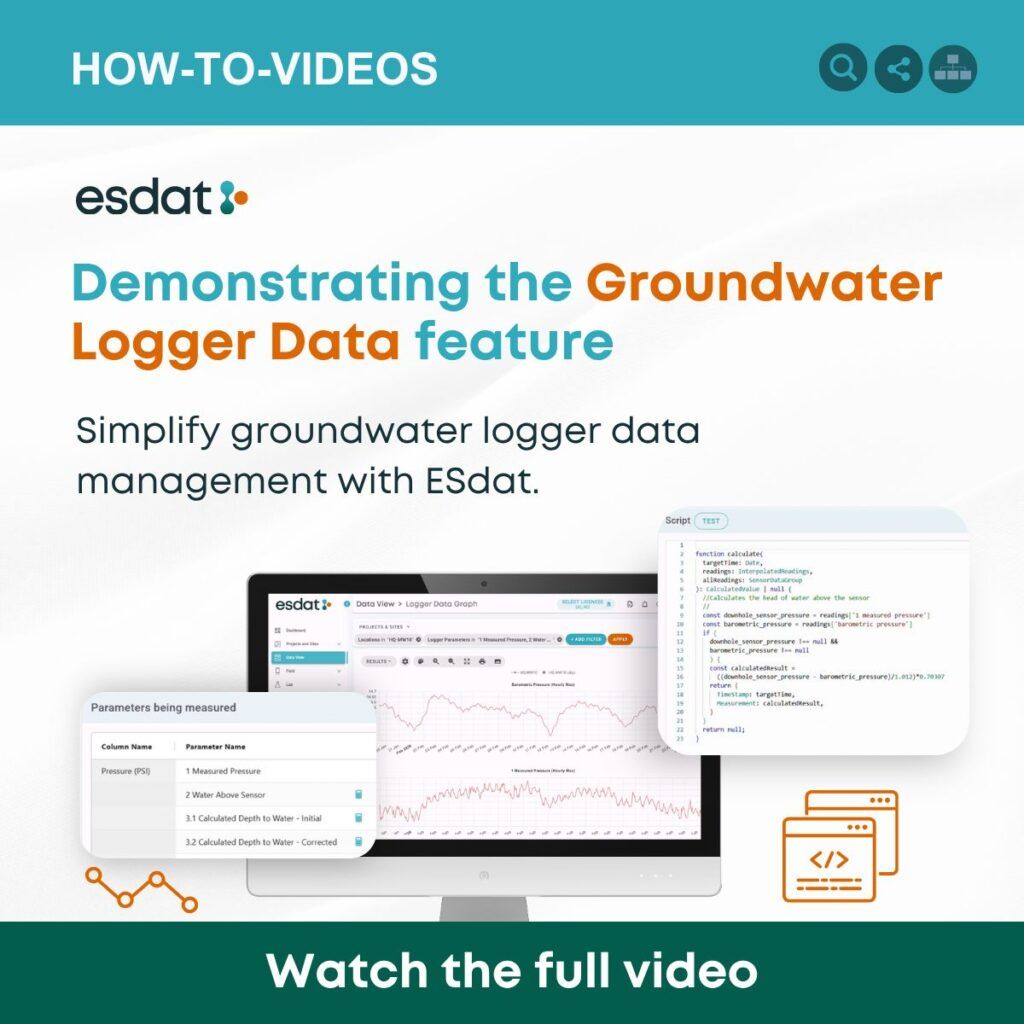
ESdat’s latest video highlights its groundwater logger data functionality—a purpose-built workflow designed to simplify the journey from raw pressure readings to reliable groundwater elevations.
Continuous groundwater loggers can produce thousands of measurements during a monitoring program. However, the readings collected by these instruments are rarely ready for immediate use. Depending on the equipment and monitoring setup, environmental professionals may need to apply barometric-pressure corrections, convert pressure measurements into water depths, account for reference elevations and reconcile the results against manual dip readings.
When these steps are performed across spreadsheets, formulas and separate files, the process can become time-consuming and difficult to audit. ESdat brings the data, calculations and quality-control decisions together in a single workflow.
From logger pressure to groundwater elevation
The workflow featured in the video demonstrates how ESdat can apply formula-based calculations to groundwater logger data. The system can support the conversion of piezometric-pressure measurements into water depths or elevations, including atmospheric-pressure correction and automated offset correction against manual dip measurements.
Manual dips provide an important independent reference point. Comparing them with the continuous record can identify an offset or apparent sensor drift. ESdat allows corrections to be incorporated systematically, helping users maintain a traceable relationship between the original measurements, the applied adjustments and the resulting groundwater elevations.
ESdat can also convert groundwater depths into several useful reporting formats, including elevation, depth below top of casing and depth below ground. These calculations draw on the associated location and well information, such as ground elevation and the surveyed elevation of the top of casing. The platform can even account for changes in top-of-casing elevation over time—an important consideration at sites affected by subsidence, excavation or mining bench changes. Learn more about ESdat’s groundwater-level data structure.
One environment for continuous monitoring data
The groundwater workflow forms part of ESdat’s broader capability for managing environmental logger and sensor data. ESdat can be configured to receive data from major logger manufacturers and can support instruments monitoring:
- Groundwater levels
- Water quality
- Weather and rainfall
- Dust
- Other continuously measured environmental parameters
Logger results can be uploaded automatically through secure data-transfer processes and validated during import. Users can then review the data in tables and time-series graphs, examine individual measurements and identify results requiring attention. Explore ESdat Logger Data.
Each logger placement is managed as a distinct event. This helps preserve essential context when an instrument is installed, replaced or moved. Within an event, users can review the logger configuration, imported files, measurements and alerts associated with that deployment.
Quality-assurance tools allow users to add comments, apply record-specific offsets and assign QA flags. A rejected result can be retained in the database for traceability while being excluded from standard graphs—preserving the original record without allowing a known problem to distort interpretation. Read about logger-event settings and data QA.
Faster identification of trends and problems
Once imported and reviewed, continuous measurements can be visualised in ESdat’s Data View. Users can graph results by monitoring location or parameter, compare stacked time series and inspect individual data points. Trigger levels can also be displayed on the graphs to provide context for changing conditions.
Alerts may be configured for measurements above or below specified values. ESdat can also notify users when expected logger data has not been received within a nominated period. This provides an opportunity to investigate potential instrument, communication or site issues before an extended data gap develops.
Graphs can be interrogated, enlarged and exported as image or PDF outputs for use in technical assessments and reports. See how ESdat presents continuous data.
Connecting field observations with the continuous record
Logger measurements are most valuable when they can be interpreted alongside the rest of a monitoring program. ESdat combines continuous readings with manual groundwater measurements, well construction information, monitoring rounds, field observations, laboratory results and other environmental data.
The ESdat Field App supports the collection of groundwater levels and other field information on phones, tablets and computers, including while personnel are offline. Results synchronise with ESdat when a connection becomes available, reducing re-entry and helping manual observations reach the same controlled dataset as the logger record. Learn more about ESdat Field Programs.
By keeping the raw readings, correction logic, reference measurements, QA decisions and final outputs together, ESdat gives project teams a clearer and more defensible record of how reported groundwater elevations were produced.
Watch the groundwater logger workflow
The new video provides a practical look at how ESdat turns raw groundwater logger readings into corrected elevations while reducing the need for fragmented spreadsheet-based processing.
Watch the full ESdat groundwater logger data video.
For more information about connecting instruments, reviewing live measurements, configuring alerts and visualizing trends, visit the ESdat Logger Data page.
Related Articles to Groundwater logger workflow
Environmental Monitoring Data Management: The Complete Guide
What is a data logger | how is it used for data logging?
Environmental Compliance Software for Monitoring Data and Reporting
ESdat vs EQuIS: The Pragmatic, Low-Friction Alternative for Teams Who Need Results Now